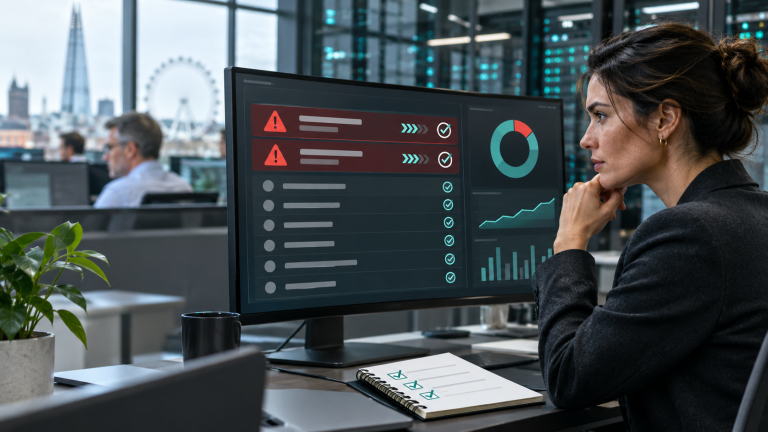
Could one unprotected employee laptop interrupt your whole business? It could, particularly if that device can reach shared files, customer records or administrative accounts. In 2026, leaving workstations without effective antivirus removes an important opportunity to detect and stop malicious software before it disrupts your team.
The practical answer is to make sure every business workstation has appropriate, active malware protection, supported by updates, sensible access controls and someone responsible for responding to alerts. Astley Digital helps organisations build that baseline through managed antivirus and device care with Astley Essentials, with broader support available as your requirements grow.
What does “no antivirus” actually mean?
A computer without a separately purchased antivirus subscription is not necessarily unprotected. Microsoft confirms that Microsoft Defender Antivirus is built into Windows 11. A properly configured, supported built-in product can form part of a business protection strategy.
The concern is a device with no effective protection: security software may be disabled, unhealthy, incorrectly configured or missing from your organisation’s management view. An expired third-party licence also needs checking; on Windows, Defender can automatically reactivate when another product expires. Verify the actual protection status rather than assuming either safety or exposure from a licence date.
For employers, the useful questions are straightforward: which devices are covered, when did they last report in, are their protections working, and who investigates a warning? Installing software once does not answer those questions indefinitely.
Why workstation protection matters in 2026
The UK Government’s Cyber Security Breaches Survey 2025/2026, published on 30 April 2026, found that 43% of businesses identified a cyber security breach or attack in the previous 12 months. This measures a broad range of incidents and attempts; it is not a measure of malware infections or attacks caused by missing antivirus.
For a business owner, the implication is practical. Employee computers regularly handle email attachments, downloads, browser activity and access to cloud services. Protection needs to follow those devices into home offices and remote working, alongside the controls at your office network boundary.
The National Cyber Security Centre’s antivirus guidance explains how antivirus can help detect, quarantine or block malware and should work alongside other defences. No single product prevents every attack, but leaving a protection gap gives your business fewer opportunities to stop one.
Five business risks of unprotected workstations
1. Ransomware and interrupted work
Malware on a workstation can damage or encrypt files and, where permissions and connectivity allow, affect shared resources. The resulting disruption may prevent staff accessing documents, serving customers or completing time-sensitive work. Antivirus can help interrupt malicious activity, while restricted permissions and tested backups help limit the consequences if prevention fails.
2. Stolen credentials and business information
Some malware is designed to steal information rather than announce itself. Passwords, browser session data and accessible documents can give an attacker routes into email or business applications. Endpoint protection should therefore sit alongside multi-factor authentication, controlled administrative access and monitoring for suspicious account activity.
3. A route towards other systems
An employee device may connect to servers, shared folders, remote desktops and management tools. A compromised workstation can become a starting point for further access. The extent of that risk depends on how your network, accounts and permissions are configured; a well-managed server still benefits from well-managed devices connecting to it.
4. Recovery costs beyond the infected computer
The cost can include investigation, rebuilding devices, restoring data, resetting access and the hours employees cannot work normally. If several systems are involved, recovery also needs coordination. Paying for a security licence is only one part of the comparison; consider the operational effort needed to recover without a clear device inventory or response plan.
5. Gaps in customer assurance
Customers and procurement teams may ask how devices are protected and how you demonstrate that protection is maintained. A current device list, protection reports and documented responsibilities provide a stronger answer than a verbal assurance that antivirus was installed some time ago.
How Astley Digital helps protect your employees’ devices
Start with managed antivirus and device visibility
Astley Essentials brings together remote monitoring, supported operating-system patch management, managed antivirus, device-health signals and asset visibility. Our expert UK team manages the agreed service across covered business devices, helping you establish a consistent baseline.
Plans start from £14.99 per employee, per month, excluding VAT. We confirm compatibility, covered devices, responsibilities and final pricing before onboarding. Broader user helpdesk support, Microsoft 365 administration, backups and server management are scoped separately where required.
Bring everyday IT under one accountable team
Our Fully Managed IT Solutions can bring user support, Microsoft 365 administration, device lifecycle management, onboarding and offboarding together. This helps keep security ownership clear as people join, leave or change roles. Existing customers can use our remote support guidance when an Astley Digital technician has arranged assistance.
Add application control and response capabilities where needed
For organisations that need tighter control over what runs on employee devices, our Fully Managed ThreatLocker service offers a route to application allowlisting, ringfencing and controlled privilege elevation. We plan deployment, test policies and manage approvals so legitimate work can continue.
Endpoint detection and response (EDR) provides visibility into suspicious endpoint activity and response capabilities. Managed detection and response (MDR) adds a specialist monitoring and response service. These are additional options to scope around your risks; they are not automatically included in the Astley Essentials starting package. ThreatLocker module availability, licensing and platform compatibility are confirmed during consultation.
Check the wider controls and recovery plan
Our cyber security consulting and virtual CISO services help connect technical controls with risk ownership, staff awareness and incident planning. Cyber Essentials support helps you review the scheme’s control areas and prepare evidence for assessment, while penetration testing can test agreed parts of your environment and identify practical remediation work.
Prevention also needs a recovery route. Our managed Microsoft 365 and Google Workspace backup service provides independent cloud-data backup and assisted recovery within the agreed scope. It complements workstation protection; cloud-account backup does not automatically back up everything stored on a laptop.
Protect the systems your workstations connect to
Employee devices are part of a connected environment. The right combination depends on your business, rather than adding every service to every workstation plan:
- Business applications and remote access: Managed Servers and Managed RDS and Flynet Hosting support the infrastructure behind your team’s work. Our WatchTower Cloud Firewall focuses on Windows Server firewall management and traffic visibility.
- Websites and online services: Website Hosting and Managed Cloudflare address hosting and website protection. Our PHP2Shell patching service provides a focused route to checking and updating affected PHP websites. These protect a different part of the environment from employee antivirus.
- Legal practices: our IT support and hosted servers for law firms bring device care, legal applications, access and recovery into one managed relationship.
- When something has already gone wrong: Cyber Incident Recovery, Server and Infrastructure Recovery, Hacked WordPress Repair and DDoS and Website Attack Mitigation provide focused routes to specialist help.
You can explore all Astley Digital services to find the right starting point for your organisation.
Six checks to make this week
- List every workstation. Include office PCs, remote laptops and any personally owned devices authorised to access business systems.
- Verify active protection. Check the antivirus provider, protection health, recent updates and the time each device last reported in.
- Confirm supported software and patching. Antivirus cannot compensate for an operating system or application left without appropriate security updates.
- Review access. Limit unnecessary administrative rights and check multi-factor authentication and access to sensitive shared resources.
- Assign an alert owner. Agree who investigates detections, who can isolate a device and how staff report a concern.
- Test recovery. Confirm what is backed up, what is excluded and whether the data your business needs can actually be restored.
If you suspect an active compromise, use our cyber incident recovery route. Where safe, isolate affected devices from the network and preserve evidence rather than deleting files or logs.
Find the gaps before they interrupt your business
You should be able to see which workstations are protected and who takes responsibility when something changes. Astley Digital can help you establish that visibility, manage the agreed controls and plan the additional support your organisation needs.
Request a free IT and cyber health check to review antivirus coverage, devices, patching, access and recovery with our UK team.
Ready for a clearer technology plan?
Tell us what is slowing your organisation down. We will help you identify the practical next step.